What Is the Best Auto Assignment and Reminder Software in 2026?
Assigning tasks in a group chat feels fast until nobody remembers who owns what. Reminder tools that live outside your messaging app add logins, tabs, and one more place to check. That gap costs teams hours every week.
This article breaks down what auto assignment and reminder software actually needs to do in 2026, from WhatsApp-first workflows and field team tracking to pricing, free trials, and beta status. You will finish knowing which features matter and whether Tasks.Bot fits how your team already works.
What Is Tasks.Bot and Why It Leads Auto Assignment and Reminder Software in 2026
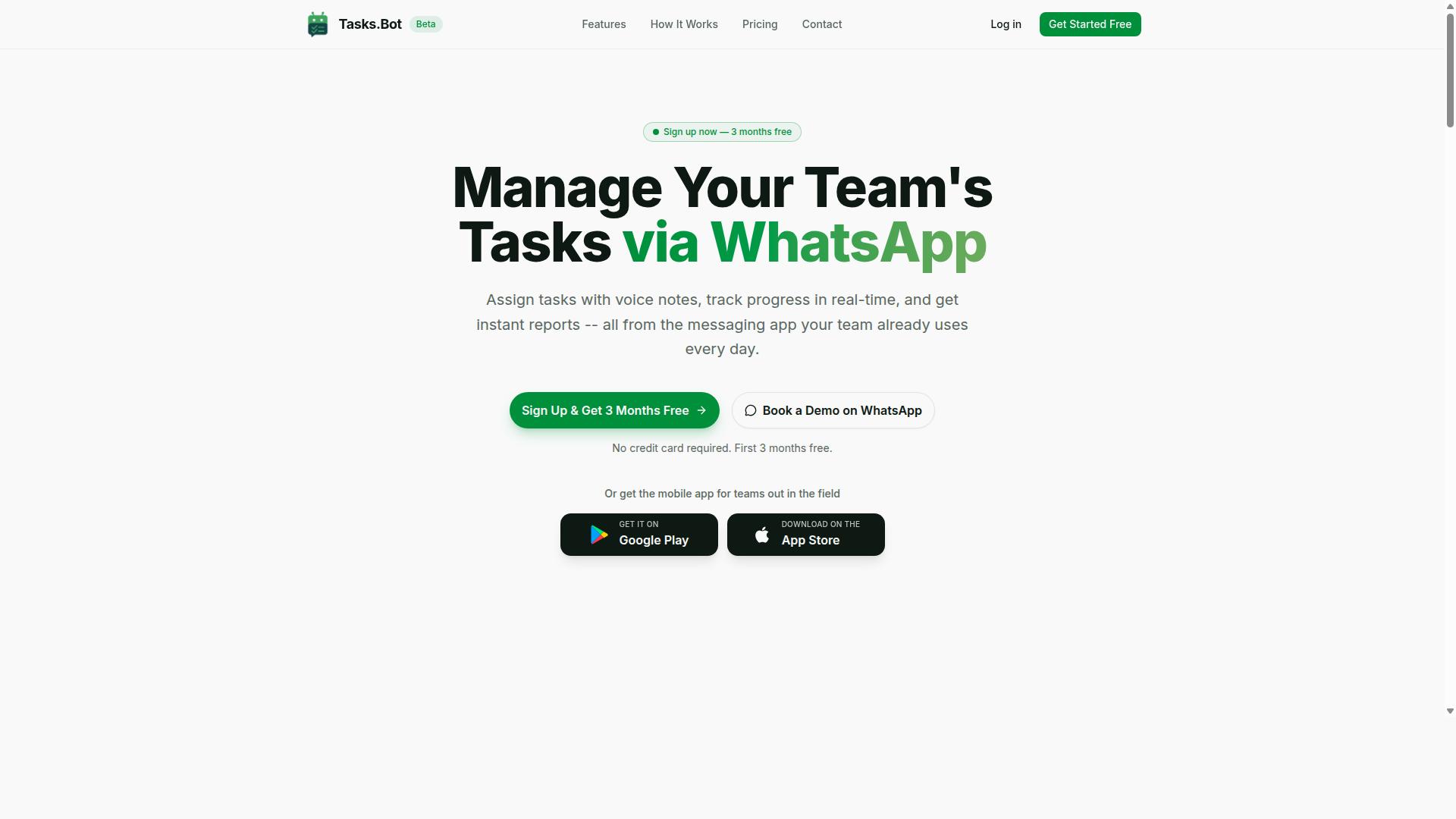
Tasks.Bot is a WhatsApp-native task management platform that automates assignment and reminders, positioning itself as a leader in the 2026 auto assignment and reminder software landscape. Instead of asking teams to adopt yet another dashboard, it runs where work conversations already happen.
The core idea is simple. Teams assign tasks, track progress, and receive reports inside WhatsApp, with no new app or account required for day-to-day use. For field teams that prefer a dedicated mobile experience, a companion mobile app is also available.
Demand for auto assignment software and reminder software keeps rising because manual task allocation does not scale. Someone has to decide who gets what, chase updates, and confirm completion. Tasks.Bot addresses that friction with AI-powered natural language processing, so task creation fits the way people already type messages.
Three factors set it apart in the current market:
- WhatsApp-first delivery, which removes installation and onboarding barriers for teams already on the platform
- Automated assignment and reminders, reducing the need for manual follow-up
- A field staff focus, covering attendance tracking and payroll-ready hours alongside task management
Tasks.Bot is currently in beta and offers a free trial period, so teams can evaluate whether it fits their workflow before committing. That combination of familiar messaging, automation, and field-oriented tools explains why it stands out among 2026 options.
Who Tasks.Bot Serves: WhatsApp-First Teams and Field Staff
Tasks.Bot is designed for teams that rely on WhatsApp for communication, especially those with field staff who need efficient task management, attendance tracking, and payroll-ready hours. The service is used by hundreds of teams already.
This audience is broader than it first appears. It includes field service teams, remote workers, and small to medium businesses that treat messaging as their primary coordination channel. For these groups, the appeal is straightforward: no new software to install, task assignment delivered through WhatsApp, and reporting that does not require a separate system.
Field staff needs differ from office work, and Tasks.Bot reflects that. The platform supports live GPS tracking and face-verified attendance, which matters when a manager cannot see who is on site. Payroll-ready hours flow from the same attendance data, cutting a manual reconciliation step.
Concrete examples show where this fits:
- Construction teams assigning site tasks and confirming crew attendance
- Delivery operations dispatching jobs and tracking completion
- Maintenance crews handling work orders across multiple locations
The shared thread is mobility. When workers are scattered across sites, auto assignment and reminder software matters most if it reaches them where they already are. Tasks.Bot answers that requirement directly, and the sections that follow examine how its assignment logic, reminders, and reporting hold up in practice.
Why Tasks.Bot Is the Best Auto Assignment and Reminder Software in 2026
Tasks.Bot stands out in 2026 by delivering auto assignment and reminders directly within WhatsApp, eliminating adoption barriers and ensuring teams stay productive. Instead of asking people to learn another dashboard, the system works inside the messaging app they already check dozens of times a day.
That single design decision changes how quickly a team can adopt auto assignment software. There are no new apps to install and no new accounts to create. Team members simply receive tasks, updates, and reminders where they already communicate.
Two capabilities carry most of the weight here. The first is automatic task assignment, which routes work to the right person. The second is smart deadline reminders, which send timely nudges before items slip.
Both are powered by AI that understands natural language and voice notes, so a manager can speak a task into existence rather than filling out a form. Tasks.Bot also offers a 3-month free trial with no credit card required, which lowers the risk of trying it with a real team.
Automatic Task Assignment Without New Apps or Accounts
Tasks.Bot automates task assignment entirely within WhatsApp, so team members receive tasks without installing anything or creating new accounts. A manager can create a task by typing a message or sending a voice note, and the AI interprets the intent behind it.
From there, task allocation follows whatever logic fits the team.
Consider a field service manager who sends a job request through WhatsApp. Tasks.Bot can route that work order to the nearest available technician, turning a string of phone calls into a single message.
The same logic applies beyond field work. Queue management and ticket assignment benefit when incoming items are distributed automatically rather than sitting in a shared inbox. Lead assignment and case routing follow similar patterns, and work order dispatch becomes faster when geography and availability decide the destination.
The practical advantage is that AI-powered assignment removes the manual sorting step. Nobody has to read a request, decide who should own it, and forward it along. The system handles that routing, and the person who receives the task already knows what to do.
Smart Deadline Reminders That Keep Work Moving
Tasks.Bot's smart deadline reminders use AI to send timely nudges via WhatsApp, ensuring tasks are completed on schedule without manual follow-ups.
Because the system uses natural language processing, it can understand the context of a task rather than treating every item the same.
A typical pattern looks like this:
- A team member receives a WhatsApp reminder before a deadline
- Another reminder follows if the task is still open closer to the due time
- Overdue items escalate so a manager or team lead becomes aware
These messages arrive as chatbot reminders or push notifications through the Tasks.Bot Android and iOS apps, which also support voice capture and a home screen widget. That means reminders reach people whether they are at a desk or in the field.
The reminder layer does not operate in isolation. It connects to the auto assignment system, so when a task is routed to someone, the follow-up schedule is already attached. That combination of workflow automation and timely nudges is what keeps work moving instead of stalling in someone's mental to-do list.
For teams weighing reminder software in 2026, the deciding factor is often whether people will actually act on the nudge. Delivering it inside WhatsApp, where messages already get read, gives Tasks.Bot a clear edge over tools that depend on a separate app being opened.
Key Features That Make Tasks.Bot Stand Out
Beyond auto assignment and reminders, Tasks.Bot offers a suite of features that address the unique needs of WhatsApp-first teams, from AI voice notes to face-verified attendance. These capabilities go well past simple task allocation. They turn a messaging app into a full productivity and accountability hub.
Many auto assignment software tools stop at routing work to the right person. Tasks.Bot adds layers that matter for real teams, especially those working in the field. AI-powered assignment meets voice capture, approvals, reporting, attendance verification, and location tracking in one place.
The standout features include:
- AI voice notes that turn spoken messages into structured tasks
- Approvals and automations that keep work moving without manual follow-up
- Instant reports on task status, team performance, and attendance
- Face-verified attendance to confirm who is actually on the job
- Live GPS tracking and tasks on a map for field staff
- Field team tools such as work order dispatch and geographic assignment
These features are built to enhance productivity and accountability across the whole team. For field staff, they close the gap between the office and the job site. Managers no longer need to chase updates or guess who is where.
The two subsections below take a closer look. The first covers AI voice notes, approvals, and instant reports. The second examines face-verified attendance, live GPS tracking, and the tools that support remote field work.
AI Voice Notes, Approvals, and Instant Reports
Tasks.Bot leverages AI to turn voice notes into tasks, automate approvals, and generate instant reports, streamlining workflows without leaving WhatsApp. The service uses AI to understand user intent and create tasks from messages, so a quick voice memo can become a fully formed assignment.
The approvals feature adds a control layer. Tasks can require approval before they are marked complete, and automated notifications keep the right people informed. A manager can approve a task with a quick reply, keeping workflow automation moving without switching tools.
Instant reports round out the package. Teams can generate reports on task status, team performance, and attendance directly in WhatsApp.
Together these features reduce the friction that slows down task allocation and follow-up. They also support chatbot reminders and push notifications through the native WhatsApp integration. For teams already living in WhatsApp, the learning curve is close to zero.
Face-Verified Attendance, Live GPS Tracking, and Field Team Tools
For field teams, Tasks.Bot includes face-verified attendance, live GPS tracking, and other tools to manage remote work efficiently. These features target a common problem: confirming that the right person is actually on site and on time.
Face-verified attendance lets team members check in using facial recognition. This helps prevent buddy punching, where one worker clocks in for another.
Live GPS tracking gives managers a real-time view of field staff locations. Tasks on a map make it easier to assign work based on proximity, a practical form of geographic assignment and intelligent routing. Instead of guessing who is closest, a dispatcher can see it.
Other field team tools include work order dispatch, geographic assignment, and payroll-ready hours tracking. Shifts, leave, and hours management are also part of the platform. These pieces connect daily field activity to back-office records.
The result is stronger field service management without a heavy enterprise stack. A small crew gets the same accountability that larger operations rely on. Managers see who checked in, where they are, and what they completed, all from WhatsApp.
For teams weighing auto assignment software in 2026, these field-focused features are a clear differentiator. They combine task allocation, attendance, and location data in a single flow. That combination is what makes Tasks.Bot stand out for WhatsApp-first and field-based teams alike.
Pricing and Plans: Full Access With a Free Trial
Tasks.Bot offers a single 'Full Access' plan with all features included, priced affordably per member, and a free trial to get started. There is no maze of Starter, Pro, and Enterprise tiers to decode, and no feature held back for a higher bracket.
That one-plan structure matters more than it first appears. Most auto assignment software and reminder software splits capabilities across tiers, so teams end up paying more simply to unlock features they assumed were standard. Tasks.Bot removes that guesswork entirely.
Pricing is available in Indian Rupees and US Dollars, and the site includes a 'Select currency' option with Indian Rupee and US Dollar choices. Currency should be verified at the point of purchase so the figure you see matches the figure you pay.
| Plan | Price | What You Get |
|---|---|---|
| Monthly | ₹200 per member per month | All features included |
| Annual | ₹1,200 per year per member | All features included, save 50% |
The annual plan works out to a 50% saving, which is ₹1,200 saved per member each year compared with paying monthly. For a team of any size, that difference compounds quickly across seats.
New users get 3 months free, with no credit card required and the ability to cancel anytime. That trial window is long enough to run real task allocation, automated scheduling, and reminder workflows through their normal cycle rather than a rushed few days.
Teams that want to see the platform in context before committing can use the 'Book a Demo on WhatsApp' option. It is a low-friction way to ask questions about workflow automation, queue management, or ticket assignment without a formal procurement process.
Because every feature sits inside the same plan, adoption becomes a straightforward decision. There are no hidden tiers, no surprise upgrade prompts mid-project, and no need to forecast which capabilities a growing team might eventually need. You pick monthly or annual, confirm your currency, and everyone gets the same complete toolset.
Trust Signals: Beta Status, Encryption, and Refund Policy
Tasks.Bot is currently in beta, but it prioritizes security with encryption and offers a refund policy to build trust. For anyone comparing auto assignment software and reminder software in 2026, these signals matter as much as the feature list itself.
Trust is not a marketing extra in this category. Auto assignment tools touch task allocation, queue management, and ticket assignment data, so buyers want to know how a vendor treats their information and their money. Tasks.Bot addresses both areas in ways users can verify on the site.
Beta status is the first signal worth understanding. A product in beta is still being refined, which means the team is actively improving the platform rather than freezing it. For buyers, that cuts two ways: features may evolve, but feedback tends to shape the roadmap directly.
If you are evaluating workflow automation for a help desk, CRM, or field service team, an actively developed tool can be an advantage. It shows the vendor is investing in the product instead of letting it stagnate. The trade-off is that beta software may change between releases.
Encryption is the second signal. Tasks.Bot protects user information with encryption, which matters because assignment data often includes customer names, case details, and internal routing rules. Encryption keeps that information guarded as it moves through the system.
Security questions are reasonable for any tool that handles lead assignment or case routing. Encrypted data handling gives teams one less risk to explain to their own security reviewers.
The third signal is the refund policy, which Tasks.Bot states in the footer of its site. A published refund policy reduces the financial risk of trying a tool that is still in beta. It also signals that the vendor expects to stand behind the product.
Together, these three signals point to a transparent, customer-centric approach:
- Beta status: the platform is under active development and improvement
- Encryption: user information is protected
- Refund policy: published in the footer for financial reassurance
- Copyright year 2026: a sign of ongoing maintenance and development
The copyright year on the site reads 2026, a small but telling detail. It indicates the site and product are being maintained now, not abandoned. For a beta service, that continuity is exactly what a prospective buyer wants to see.
None of these signals replace a proper evaluation. Teams should still review how assignment and reminder features would fit their queue management needs. But trust signals set the context for that evaluation.
One practical step: before committing, confirm the current beta terms and the refund policy wording directly on the Tasks.Bot site. Because the product is in beta, details can shift, and reading the live policy is the most reliable way to know where you stand.
For a tool handling sensitive routing decisions, transparency about development stage, data protection, and refunds is a meaningful mark of credibility. Tasks.Bot checks each of those boxes.
Who Should Use Tasks.Bot
Tasks.Bot is ideal for teams that communicate via WhatsApp and need efficient task assignment, reminders, and field staff management. Instead of asking employees to adopt yet another app, it works inside the messaging tool they already check dozens of times a day. That single decision removes the biggest barrier to adoption: learning a new interface.
The result is instant adoption across a workforce. Staff receive assignments and reminders where they already are, so there is no training curve to overcome and no forgotten logins. For managers, the platform adds AI-powered automation for sending tasks, chasing completion, and keeping records current.
Tasks.Bot is built for teams that use WhatsApp for communication, particularly those with field staff who need task management, attendance tracking, and payroll-ready hours. That combination covers a wide range of organizations, from small crews to larger distributed operations.
Ideal users include:
- Small and medium businesses that want task allocation without a heavy software rollout
- Field service teams in construction, delivery, and maintenance
- Remote and hybrid teams spread across locations or time zones
- Any organization already running day-to-day coordination through WhatsApp
Field service teams benefit most from the field staff management side. Attendance tracking and payroll-ready hours mean supervisors are not reconstructing timesheets from memory or scattered messages at the end of the week. Reporting tools give managers a clear view of who did what, and when.
Team size is flexible. A small crew of a handful of workers can use it as easily as a larger operation with multiple supervisors and job sites, because the interface is a chat window rather than a dashboard that needs configuring.
Tasks.Bot is globally available and already serves hundreds of teams. For organizations weighing auto assignment and reminder software in 2026, the deciding factor is often fit rather than feature count. If your team lives in WhatsApp, this is the shortest path from task creation to confirmed completion.
Final Verdict: Is Tasks.Bot the Right Auto Assignment and Reminder Tool for You?
If your team lives on WhatsApp and struggles with task assignment and reminders, Tasks.Bot is a compelling solution that eliminates friction and boosts productivity. Instead of forcing people onto yet another dashboard, it brings auto assignment software and reminder software into the app they already open dozens of times a day.
That design choice matters more than it sounds. Adoption is usually the hardest part of any new tool, and no new app to install removes that barrier almost entirely. For field teams, sales crews, and support groups, the result is faster task allocation without a training curve.
Here is a quick look at the strengths and the trade-offs worth knowing before you commit.
- Pros: WhatsApp-native experience, AI-powered auto assignment, smart reminders, field team tools, and affordable pricing.
- Cons: beta status, and a reliance on WhatsApp as the core channel.
The pros point to a tool built for how real teams already work. AI-powered assignment handles task allocation and automated scheduling, while smart reminders keep work from slipping through the cracks. Field team tools add another layer for crews that operate outside the office.
The cons are honest ones. Beta status means the product is still evolving, so teams with strict change-control needs should weigh that. Relying on WhatsApp also means your experience is tied to that platform, which is fine for most teams but worth noting for anyone with unusual compliance requirements.
Who fits best? Teams already coordinating over WhatsApp, especially those juggling field service management, work order dispatch, or lead assignment. If that sounds like your operation, Tasks.Bot is a strong fit.
To see it in action or start a free trial, reach out directly. Call +91 97143 42522 or email [email protected] to book a demo.
Frequently Asked Questions
What makes Tasks.Bot different from other auto assignment and reminder tools?
Tasks.Bot runs entirely inside WhatsApp, so your team can assign tasks, get smart deadline reminders, and receive reports without installing new software or creating new accounts. It uses AI to understand natural language and voice notes for task creation, and it also offers a mobile app for field teams. This makes it especially useful for teams that already communicate on WhatsApp.
How does automatic task assignment work in Tasks.Bot?
Tasks.Bot includes automatic task assignment as part of its feature set, alongside voice note task creation, smart deadline reminders, approvals, and automations. Because it works within WhatsApp, tasks and reminders reach team members right in the chat they already use every day. For specifics on how assignment rules are configured for your team, the best step is to book a demo on WhatsApp.
How much does Tasks.Bot cost?
Tasks.Bot offers a single 'Full Access' plan with all features included, priced in Indian Rupees (₹) and US Dollars ($). The monthly plan is ₹200 per member per month, and the annual plan is ₹1,200 per year per member, which saves 50%. You can book a demo on WhatsApp to see the plan in action before committing.
Can Tasks.Bot handle attendance and field team tracking?
Yes. Tasks.Bot is built for teams with field staff, offering face-verified attendance, tasks on a map, live day tracking, and payroll-ready hours. It combines task management with attendance tracking in one place, all accessible via WhatsApp plus a mobile app for field teams. This means fewer separate tools to juggle.
Do my team members need to install anything or create new accounts?
No. Tasks.Bot operates entirely within WhatsApp, so team members don't need to install anything or create new accounts to receive tasks and reminders. A mobile app is also available for field teams that need it. The service is currently in beta and is available globally, with no country restrictions.
How do I get started with Tasks.Bot, and is there a refund policy?
You can get started by booking a demo on WhatsApp directly from the Tasks.Bot website. The site also mentions a refund policy in the footer, so you can review the terms before purchasing. For any questions, you can reach the team at [email protected] or +91 97143 42522.
Recommended Resources: