Data Entry Automation Software Pricing Guide: What Should You Actually Pay?
Data entry automation quotes range from free to thousands per month, with no clear reason why. Some platforms charge per user, others per task, and many hide onboarding and overage fees until invoicing. That makes it hard to know whether a ₹200 monthly plan is cheap or simply incomplete.
By the end, you will know what data entry automation should actually cost, how per-user, per-task, and flat-rate models compare, and which hidden fees to check before signing. You will also see where Tasks.Bot fits, what its full access plan includes, and whether it suits your team.
What Is Tasks.Bot? The WhatsApp-Native Task Platform Behind the Pricing
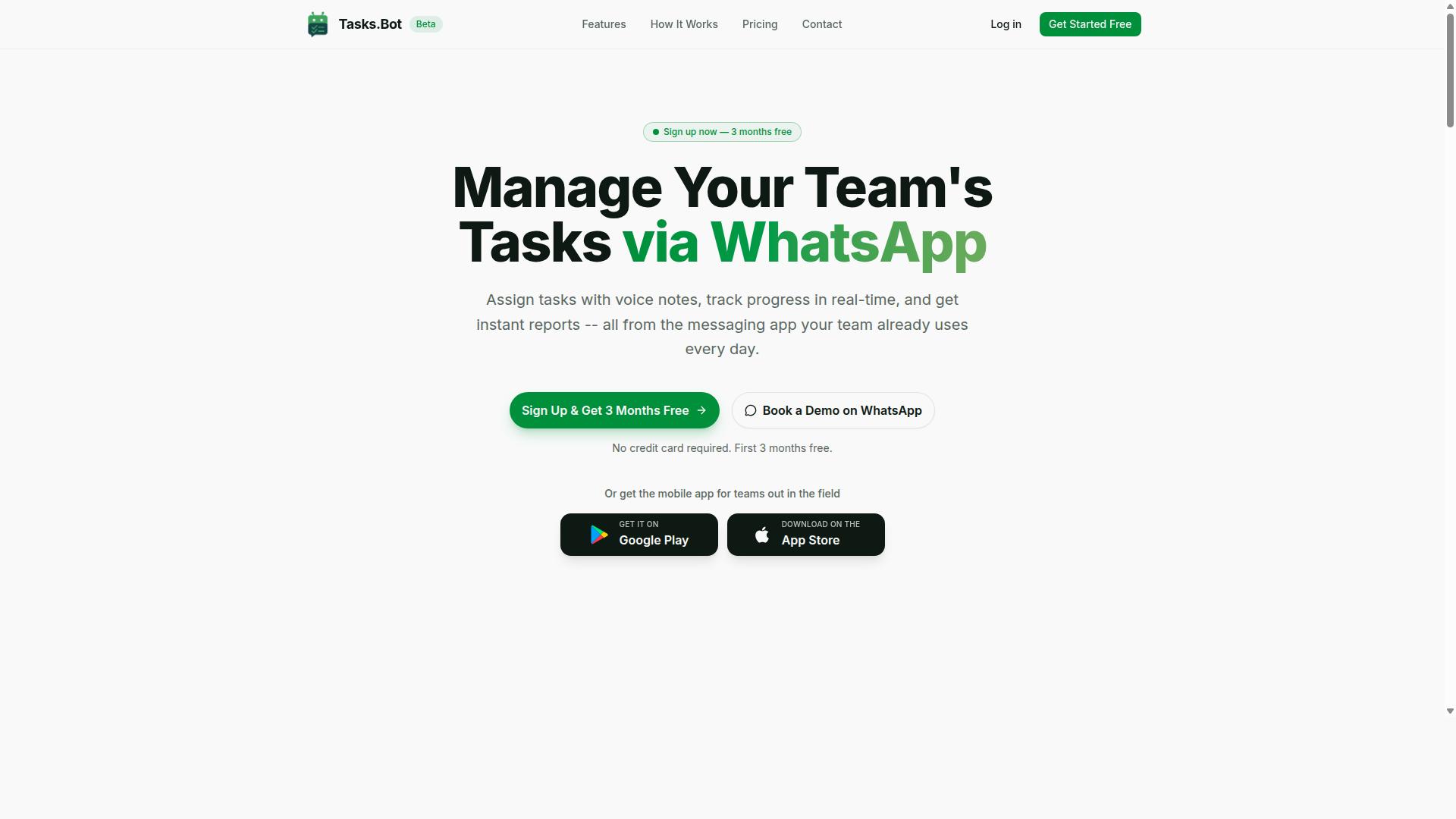
Tasks.Bot is a task management platform that operates entirely within WhatsApp, allowing teams to assign tasks, track progress, and receive reports without leaving the messaging app. That single design decision shapes everything about how the product works and, by extension, how it is priced.
Most task management tools ask users to adopt a new home base. Tasks.Bot flips that model. The messaging app your team already has open all day becomes the workspace itself, and there is no separate dashboard to learn before work can begin.
Tasks.Bot also offers a mobile app for field teams, so workers who are away from a desk still have a dedicated tool when they need one. The service is currently in beta and offers a free trial period, which matters for anyone weighing cost against value before committing budget.
This article examines the pricing question directly: is what Tasks.Bot charges justified by what it delivers? To answer that, you first need a clear picture of what the platform actually is and who it was built for. Only then does a discussion of subscription models, seat counts, and total cost of ownership make sense.
Pricing for any task platform is really a question of fit. A tool that matches how a team already communicates tends to earn its cost through steady daily use. A tool that fights existing habits tends to become shelfware, no matter how reasonable the invoice looks. That contrast sits at the heart of this pricing guide.
Who Tasks.Bot Serves: Teams, Field Staff, and WhatsApp-First Workflows
Tasks.Bot targets teams that already use WhatsApp as their primary communication tool, especially those with field staff who need to manage tasks, track attendance, and log payroll-ready hours. If that describes your operation, the platform was built with you in mind.
The site notes that hundreds of teams already use the service. That figure points to a specific kind of buyer: organizations with deskless or mobile workers who coordinate through chat rather than email or a project management suite.
The adoption story here is straightforward. Team members do not need to install new software or create accounts to participate, because the workflow lives inside an app they already use every day. Compare that to traditional task management tools, which typically require a separate login, a new password, and a training session before the first task even gets assigned.
That difference shows up in the numbers that matter for a pricing decision:
- Lower onboarding cost, since there is no new interface for most users to learn
- Faster time to first task, because the channel is already familiar
- Higher participation rates, since field staff are not asked to change tools mid-shift
- Fewer training expenses tied to software that sits outside daily habits
For a field-heavy team, these factors feed directly into total cost of ownership. A cheaper license that nobody uses costs more in the end than a platform that gets adopted on day one. Attendance tracking and payroll-ready hours also reduce administrative rework, which is a real labor cost that rarely appears on a software invoice but shows up in payroll every cycle.
That is the lens for everything that follows. When you evaluate Tasks.Bot's pricing against your small business budget or an enterprise license, weigh it against adoption friction and admin hours saved, not just the sticker price per seat.
What Should You Actually Pay for Data Entry Automation? The Tasks.Bot Answer
Data entry automation tools vary widely in price, but Tasks.Bot offers a transparent benchmark: ₹200 per member per month for its Full Access plan. That figure sits comfortably within the range most buyers encounter when comparing options.
Across the market, entry-level plans often land between $10 and $50 per user per month, while heavier platforms can push well past that once add-ons are counted. Many vendors split features across tiered pricing, so the headline rate rarely reflects the final bill.
Tasks.Bot takes a different route. The Full Access plan includes every feature, with no tiers and no hidden modules to unlock later. There is no separate charge to reach a capability that already exists in the product.
Pricing is available in both Indian Rupees and US Dollars, so a buyer can select the currency that matches their region. That matters for teams operating across borders who want a quote they can read without conversion guesswork.
New users also get 3 months free, with no credit card required, and can cancel anytime. For anyone weighing a data entry automation decision, that removes the usual upfront risk of a software commitment. The rest of this guide examines what that price actually buys.
Why Tasks.Bot's ₹200/Month Pricing Sets a Realistic Benchmark
At ₹200 per member per month, Tasks.Bot prices itself below many specialized data entry tools while bundling task management, attendance, and reporting into one platform. That bundling is the core of the value argument.
For that single per-member rate, a user gets AI-powered task creation, voice notes, deadline reminders, approvals, and instant reports. A buyer comparing separate tools for each of those jobs would be paying several subscriptions instead of one.
Consider the alternative of hiring a data entry clerk. A salary carries recruitment time, training expense, and ongoing management overhead, and none of it scales down when the workload drops. Software priced per member does.
The per-member cost is predictable and scalable. Add a seat and the cost rises by one clean increment. Remove one and it falls by the same amount, with no renegotiation.
Annual billing improves the math further. At ₹1,200 per year per member, the effective monthly cost drops to ₹100, a saving of 50% compared with paying month to month. That is ₹1,200 saved per member each year.
The payback picture is straightforward. If the platform saves a member even two hours of manual work per week, the monthly cost is recovered almost immediately at most wage levels. That is a simple ROI calculation any small business budget can absorb, and it sets up the deeper cost analysis that follows.
Pricing Models in Data Entry Automation - and Where Tasks.Bot Fits
Data entry automation vendors typically choose from per-user, per-task, flat-rate, tiered, or usage-based pricing models, each with distinct cost implications. Understanding how each structure works is the first step toward an accurate total cost of ownership calculation.
Per-user pricing charges a set fee for every seat or login on the account. It is predictable and easy to budget, though the cost climbs as your team grows. Per-task pricing bills by the entry, document, or record processed. It aligns spend with output, but monthly totals swing with volume.
Flat-rate pricing offers one price for unlimited use, which keeps invoices simple. The trade-off is that a flat plan may not scale well when your needs change, and you can end up paying for capacity you never touch.
Tiered pricing gates features behind levels, so basic functions sit in a lower plan while advanced tools require an upgrade. Usage-based pricing charges for API calls or processed volume, which suits technical teams but makes forecasting harder.
Tasks.Bot uses a per-user model with a flat feature set, meaning every seat gets the full set of capabilities rather than a stripped-down tier. The platform operates entirely within WhatsApp, so team members do not need to install anything or create new accounts. It also includes a 3-month free trial with no credit card required, which lets a team validate the fit before committing budget.
Per-User, Per-Task, and Flat-Rate: Which Model Costs You Less?
The cheapest model depends on your team size and data volume: per-user favors small teams with high task volume, while per-task suits sporadic, high-volume entry. A simple comparison makes the trade-offs concrete.
Take a 10-person team processing 1,000 entries per month. Per-user pricing at $5 per seat comes to $50. Per-task pricing at $0.10 per entry comes to $100. A flat-rate plan at $99 sits between the two but offers no room to grow without a plan change.
| Model | Monthly Cost (10 users, 1,000 entries) | Best Fit |
|---|---|---|
| Per-user ($5/seat) | $50 | Small teams with steady or growing volume |
| Per-task ($0.10/entry) | $100 | Sporadic, high-volume projects |
| Flat-rate | $99 | Teams wanting one simple invoice |
The per-task figure is the one to watch. If volume doubles to 2,000 entries, that cost doubles to $200, while the per-user bill stays flat. This is why per-user pricing is often the more predictable choice for a growing operation.
Volume discounts and enterprise licenses can shift the math for larger organizations, so it pays to ask about seat-count thresholds during contract negotiation. Tasks.Bot's per-user model includes unlimited tasks, which can be especially cost-effective for teams whose data needs keep expanding without a matching jump in headcount.
Hidden Costs to Watch For: Onboarding, Integrations, and Overage Fees
Beyond the sticker price, data entry automation can incur onboarding fees, integration costs, training expenses, and overage charges that inflate total cost of ownership. These line items rarely appear in a headline price, yet they can rival the subscription itself.
Common hidden costs include:
- Implementation fees, often quoted between $500 and $5,000 depending on complexity
- API call overages when usage-based plans exceed their included allowance
- Per-integration charges for connecting each external tool or data source
- Training sessions billed separately from the software license
- Premium support plans required for faster response times
Ask every vendor about these items upfront and request them in writing. A request for proposal that lists onboarding cost, maintenance charge, and support plan terms side by side makes vendor comparison far more honest.
Tasks.Bot takes a more transparent approach. No implementation fee is mentioned, and onboarding is self-serve through WhatsApp, so there is no paid setup engagement to budget for. Because tasks are unlimited under the per-user model, there are no overage fees to track. Conversations and task data are never shared or used for training, and enterprise-grade encryption protects the data itself, so security does not arrive as an add-on cost.
For a small business budget, that combination matters. A low headline price means little if onboarding, integrations, and overages push the real figure far higher. Mapping the full cost picture before signing keeps the ROI calculation grounded in what you will actually pay.
Tasks.Bot Pricing and Plans: Full Access, Monthly vs Annual
Tasks.Bot offers a single 'Full Access' plan with all features included, available in monthly and annual billing options. This is a deliberate departure from the tiered pricing common in data entry automation software, where basic plans hide essential capabilities behind paywalls.
The monthly plan costs ₹200 per member per month. The annual plan costs ₹1,200 per year per member, which works out to ₹100 per month and saves 50% compared to paying monthly. For a team of five, that annual saving adds up to ₹1,200 per member per year.
Pricing is available in Indian Rupees and US Dollars. A 'Select currency' option on the site lets buyers choose between the two, so the displayed rate should be verified at the time of purchase. Currency choice matters for budgeting, especially for teams paying from different regions.
Here is the structure at a glance:
| Plan | Price | Effective Monthly Cost |
|---|---|---|
| Monthly | ₹200 per member per month | ₹200 |
| Annual | ₹1,200 per member per year | ₹100 |
This flat-rate pricing model keeps the total cost of ownership predictable. There is no separate implementation fee, onboarding cost, or maintenance charge mentioned in the plan details. What you see is what you pay, per member.
One important caveat: the service is currently in beta. Beta pricing often changes as a product matures, so early adopters may lock in rates that later shift. Buyers comparing vendors should factor this into any long-term contract negotiation or ROI calculation.
What's Included in the Full Access Plan
The Full Access plan includes every feature Tasks.Bot offers: AI-powered task creation via voice or text, automatic task assignment, smart deadline reminders, approvals, automations, instant reports, and attendance tracking. There are no tiers, no add-ons, and no feature gates. One price covers everything.
Here is the full feature set named in the plan:
- Voice note task creation
- Natural language processing that understands user intent
- Automatic task assignment
- Smart deadline reminders
- Approvals and automations
- Instant reports
- Tasks on a map
- Live day tracker
- Face-verified attendance
- Shifts, leave, and hours management
- Native WhatsApp integration
- Android and iOS apps with push notifications, voice capture, and a home screen widget
This matters for anyone comparing subscription models. Many data entry automation tools charge extra for reporting, approvals, or mobile access. Tasks.Bot bundles them into a single per-user rate, which simplifies cost per entry calculations and removes surprise line items.
Because every member gets the same access, seat count is the only variable that drives your bill. That makes scalability cost easy to model: add a member, add ₹200 per month or ₹1,200 per year. No hidden fees, no support plan upsells, no API call pricing to track.
Free Trial, 3 Months Free, and the No-Credit-Card Start
Tasks.Bot offers a free trial and a 3-months-free promotion, allowing teams to test the platform without a credit card. Sign-up happens via WhatsApp, which keeps the barrier to entry low. You can cancel anytime.
This is effectively a risk-free proof of concept. Instead of committing budget upfront, teams can run real work through the platform and validate whether AI task creation and instant reporting fit their workflow. That is the right way to build an ROI calculation before signing a contract.
A practical approach for evaluating the trial:
- Add a small group of team members to the workspace.
- Create tasks using voice notes and natural language to test intent recognition.
- Run approvals, reminders, and automations through a normal work cycle.
- Review instant reports and attendance data to see whether the output supports your decisions.
By the end of the free period, you should know whether the platform reduces manual data entry effort and whether the payback period justifies the subscription. If it does, the annual plan's 50% saving becomes an easy call. If it does not, you walk away with no charge and no credit card on file.
The no-credit-card start also lowers the political cost of adoption inside a small business budget. Managers can approve a trial without procurement paperwork, then present real results when requesting a paid seat count. For a tool still in beta, that low-commitment entry point is a sensible way to earn trust before any money changes hands.
Features That Justify the Price: AI Task Creation, Attendance, and Reports
Tasks.Bot's AI-driven task creation, face-verified attendance, and instant reporting deliver tangible time savings that justify the subscription cost. Rather than paying for abstract "automation," you are paying for hours returned to your team each week.
The value of data entry automation is easiest to see when you break it down by feature. Each capability inside Tasks.Bot targets a specific, measurable cost: the minutes spent typing tasks, the hours lost to manual timesheets, and the follow-up calls chasing status updates.
AI task creation from voice notes is the clearest example. Tasks.Bot uses AI to understand natural language and voice notes, so a manager can speak a task instead of typing it into a form. Removing manual entry from routine task logging can cut the time spent on it substantially, because the thinking and the recording happen in one step rather than two.
Face-verified attendance removes the manual timesheet entirely. Tasks.Bot confirms attendance with face verification and adds live GPS tracking for field staff, so there is no separate spreadsheet to fill in or reconcile later. For teams with remote or on-site workers, that closes a recurring administrative task rather than just speeding it up.
Instant reports give real-time visibility into what has been done and what is pending. When status is always current, managers spend less time asking for updates and more time acting on them. This is where the ROI calculation for data entry automation becomes concrete.
Consider a simple model. If a team of 10 collectively saves five hours per week, and you value that time at $15 per hour, the saving is $300 per week. Against a cost of roughly $24 per week for 10 users, the payback period is immediate. The exact figures depend on your team's rates and how much manual entry you currently do, but the direction is consistent: the subscription is a fraction of the labour it replaces.
Two more factors make the pricing easier to justify. Tasks.Bot operates entirely within WhatsApp, so team members do not need to install anything or create new accounts, which removes onboarding cost and training expense from your total cost of ownership. It also provides a 3-month free trial with no credit card required, so you can run a proof of concept and measure your own time savings before committing to a subscription model.
Enterprise-grade encryption protects your data, and conversations and task data are never shared or used for training. For buyers weighing software cost against risk, that removes a category of hidden concern that rarely appears on a pricing page but often drives the real total cost of ownership.
When you compare features across a pricing guide, the question is not whether a tool has AI or attendance tracking. It is whether each feature removes a task you currently pay someone to do. AI task creation, face-verified attendance, and instant reports each remove one, which is why they justify the price rather than simply decorating it.
Who Should Use Tasks.Bot - and Who Should Look Elsewhere
Tasks.Bot is ideal for small to mid-sized teams already using WhatsApp, but may not suit enterprises needing deep customization or offline capabilities. That single distinction explains most of the fit question. The platform was built around a specific way of working, and teams that already operate that way tend to get value quickly.
According to the brand, hundreds of teams already use the service. That gives prospective buyers a real peer group to compare against, rather than a hypothetical promise.
Where Tasks.Bot fits best
The strongest match is a team that runs its daily communication through WhatsApp and manages people who are not sitting at a desk. Field staff, site crews, drivers, and service technicians all fall into this category. Their work happens away from a laptop, so a tool that lives where they already chat removes an entire layer of adoption friction.
These teams typically need three things from data entry automation: task tracking, attendance tracking, and hours that are ready for payroll. Tasks.Bot was designed around exactly those needs. Instead of asking workers to learn a new app, the workflow meets them in a channel they open dozens of times a day.
Small and mid-sized teams also benefit from the pricing shape that usually comes with this kind of tool. There is rarely a heavy enterprise license to negotiate, and the total cost of ownership stays predictable because adoption does not require a training rollout across the whole company.
If your team answers yes to most of the following, Tasks.Bot is likely a good fit:
- Daily coordination happens in WhatsApp rather than email or a desktop tool
- A meaningful share of staff work in the field, not at a desk
- You need attendance records and payroll-ready hours without a separate system
- Task assignment currently happens through chat messages that get lost
- You want a proof of concept you can run with a small group before expanding
Where Tasks.Bot is not the right choice
Honesty matters more than a broad pitch here. Some organizations will get better results from a different category of software entirely, and pretending otherwise wastes everyone's evaluation time.
Large enterprises with complex, multi-department workflows are the clearest mismatch. Those environments often need approval chains, role hierarchies, and process logic that go well beyond task and attendance tracking. A tool optimized for field teams is not built to carry that weight.
Teams that do not use WhatsApp as a primary channel should also look elsewhere. The whole value proposition depends on meeting people where they already are. If your staff live in email, Slack, or a desktop suite, the core advantage disappears.
Two more categories deserve a straight answer:
- Extensive API integrations: organizations that need deep connections to many internal systems should confirm their requirements against what the platform offers before committing
- On-premise deployment: teams with data residency or infrastructure rules requiring local hosting will likely need a different vendor
There is also a timing consideration. Tasks.Bot is in beta, which means the product is still evolving. Many small and mid-sized teams are comfortable with that tradeoff because they get early access and direct influence on direction. Enterprises that need fully mature processes, formal support plans, and long-term stability guarantees may prefer to wait for the full release.
How to decide without wasting a budget cycle
Run the evaluation as a small proof of concept rather than a company-wide rollout. Pick one crew, one shift, or one department. Give it a few weeks. Measure whether tasks stop getting lost in chat and whether attendance data arrives without manual chasing.
That approach keeps onboarding cost and training expense low while you gather real evidence. If the pilot works, expanding seat count is straightforward. If it does not, you have spent very little to find out.
For the right team, the verdict is clear. If you run a small or mid-sized operation on WhatsApp with people working in the field, Tasks.Bot targets your exact problem, and hundreds of teams have already made that same call.
Final Verdict: Is Tasks.Bot Worth What You Pay?
Tasks.Bot delivers strong value for WhatsApp-first teams, with transparent per-user pricing and a feature set that can replace multiple tools. For the right buyer, that combination lowers both software cost and the total cost of ownership that usually piles up across separate subscriptions.
The strongest argument in its favor is fit. Teams that already run their operations through WhatsApp do not need to change how they work, so onboarding cost and training expense stay low. When a tool matches existing habits, the payback period shortens and the ROI calculation gets simpler.
Pricing structure matters just as much. A per-user pricing model keeps spend tied to actual seat count rather than a flat-rate fee you outgrow or underuse. That makes budgeting predictable for a small business budget and easier to defend at renewal time.
Risk is limited in two ways. The free trial lets a team run a proof of concept before committing, and annual billing typically offers the best savings over monthly billing. Starting monthly and switching later is a reasonable path, though the largest discount usually sits with the yearly plan.
Two limitations deserve honesty. The product is described as being in beta, so some buyers may want to confirm current capabilities before a large rollout. It also depends on WhatsApp, which means teams outside that ecosystem should weigh whether the dependency fits their workflow.
For everyone else, the verdict is straightforward. If your team lives in WhatsApp, Tasks.Bot is cost-effective, low-risk, and worth what you pay. Start with the free trial, validate the fit, then move to annual billing for maximum savings.
Questions or a demo request can go directly to the team. Call +91 97143 42522 or email [email protected] to talk through seat count, billing options, and whether the current beta stage suits your timeline.
Frequently Asked Questions
How much does Tasks.Bot cost?
Tasks.Bot offers a single 'Full Access' plan with all features included. The monthly plan is ₹200 per member per month, and the annual plan is ₹1,200 per year per member, which saves you 50%. Pricing is available in both Indian Rupees and US Dollars.
Is there a free trial or a cheaper tier with fewer features?
Tasks.Bot keeps things simple with one 'Full Access' plan rather than multiple tiers, so you don't have to pay extra to unlock individual features. The service is currently in beta, and the website includes a 'Book a Demo on WhatsApp' option so you can see how it works before committing. For the latest on trials or refunds, check the site's refund policy or contact the team directly.
Do I pay per team member, or is there a flat fee?
Pricing is per member, so your total cost scales with the size of your team. At ₹200 per member per month or ₹1,200 per member per year, you can estimate your spend by multiplying the rate by the number of people who need access. This makes it easy to start with a small group and add members as you grow.
Why does Tasks.Bot cost less than many other data entry automation tools?
Tasks.Bot operates entirely within WhatsApp, so team members don't need to install anything or create new accounts - there's no separate app rollout or training overhead. That lean, messaging-first approach is reflected in the pricing. Rather than comparing headline numbers alone, weigh the total cost of setup, training, and adoption for your team.
What do I actually get for the price?
The 'Full Access' plan includes everything Tasks.Bot offers: voice note task creation, automatic task assignment, smart deadline reminders, approvals and automations, instant reports, tasks on a map, and live day tracking. It also includes face-verified attendance and a mobile app for field teams. Since all features are included, there are no surprise add-on charges for core functionality.
Is Tasks.Bot available in my country, and how do I get started?
Yes - Tasks.Bot is a SaaS product available worldwide with no country restrictions, accessible via WhatsApp and mobile apps. To get started, you can book a demo on WhatsApp, call +91 97143 42522, or email [email protected]. Note that the service is currently in beta.
Recommended Resources: